Settlement

Latest Comments

  1. CS Team
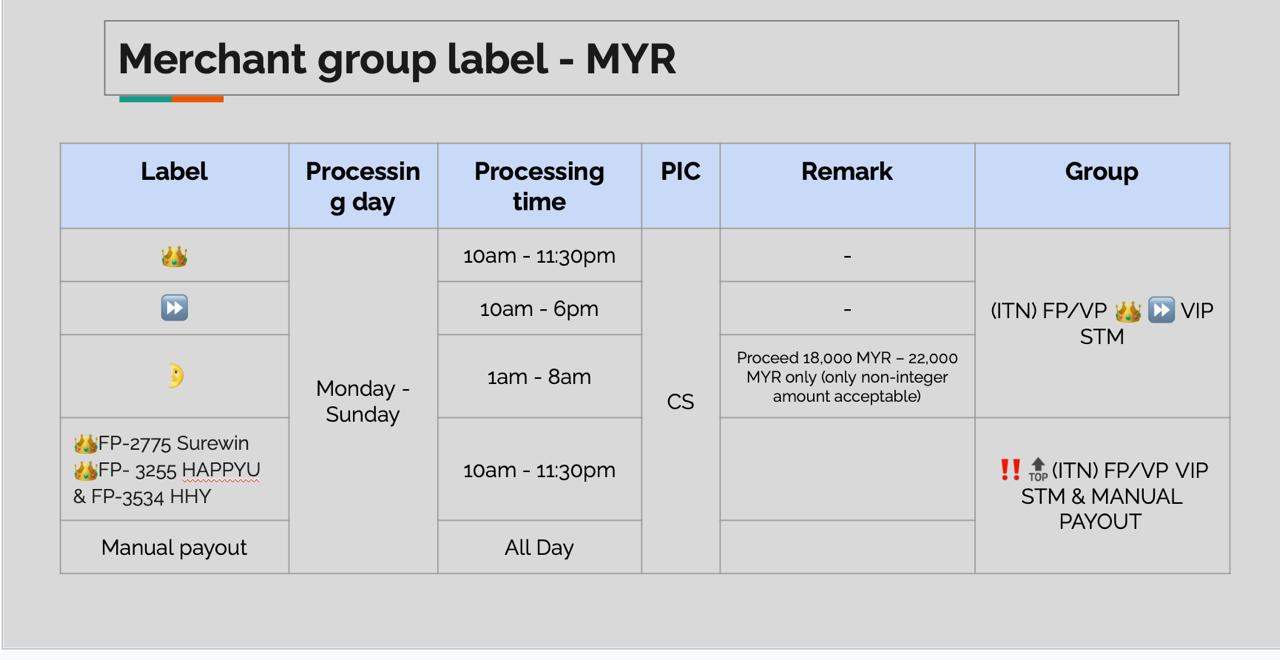
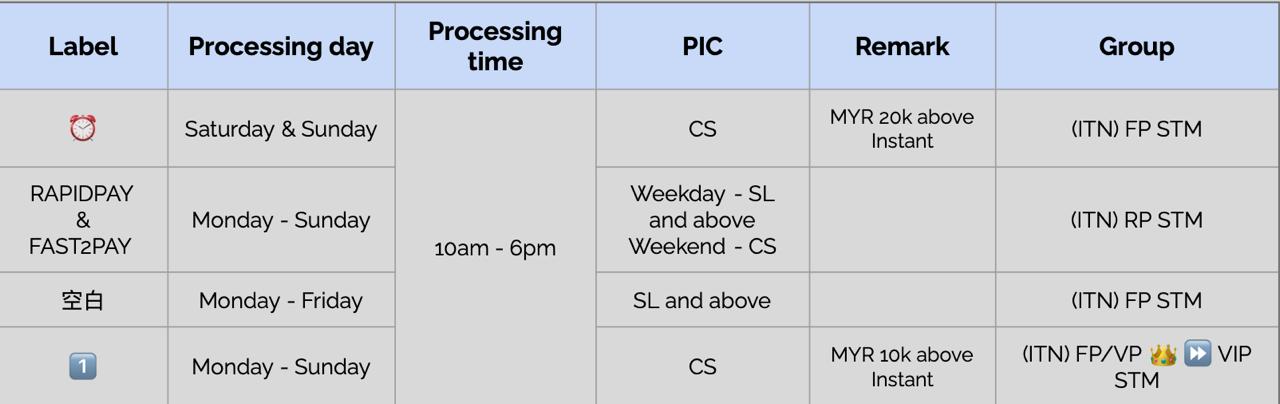
Merchant group label

Merchant group label - MYR

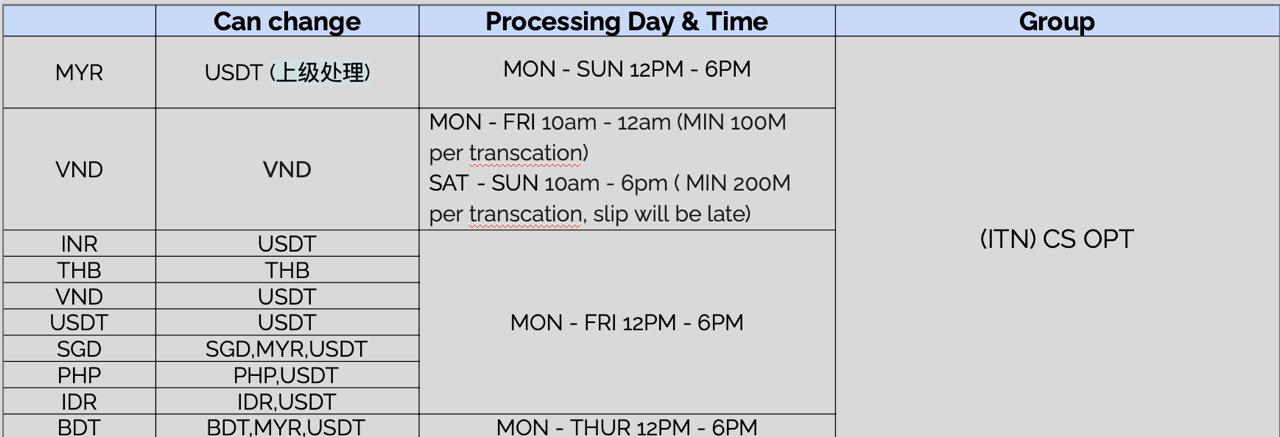
Merchant group label - Other Currencies

Process Flow

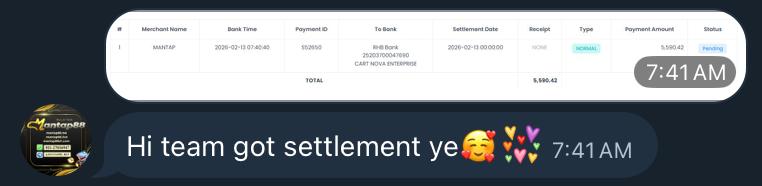
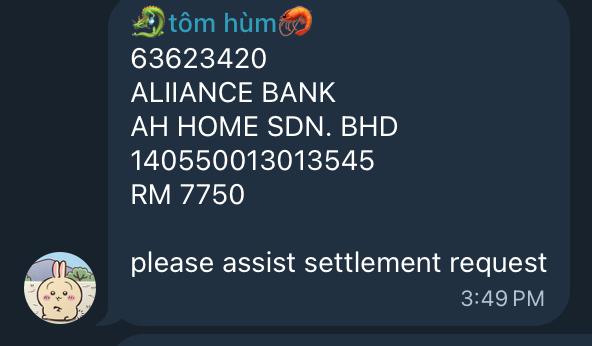
1. Merchant submits a withdrawal/settlement request. The request will announced in the Telegram group.

  1. Backend Verification

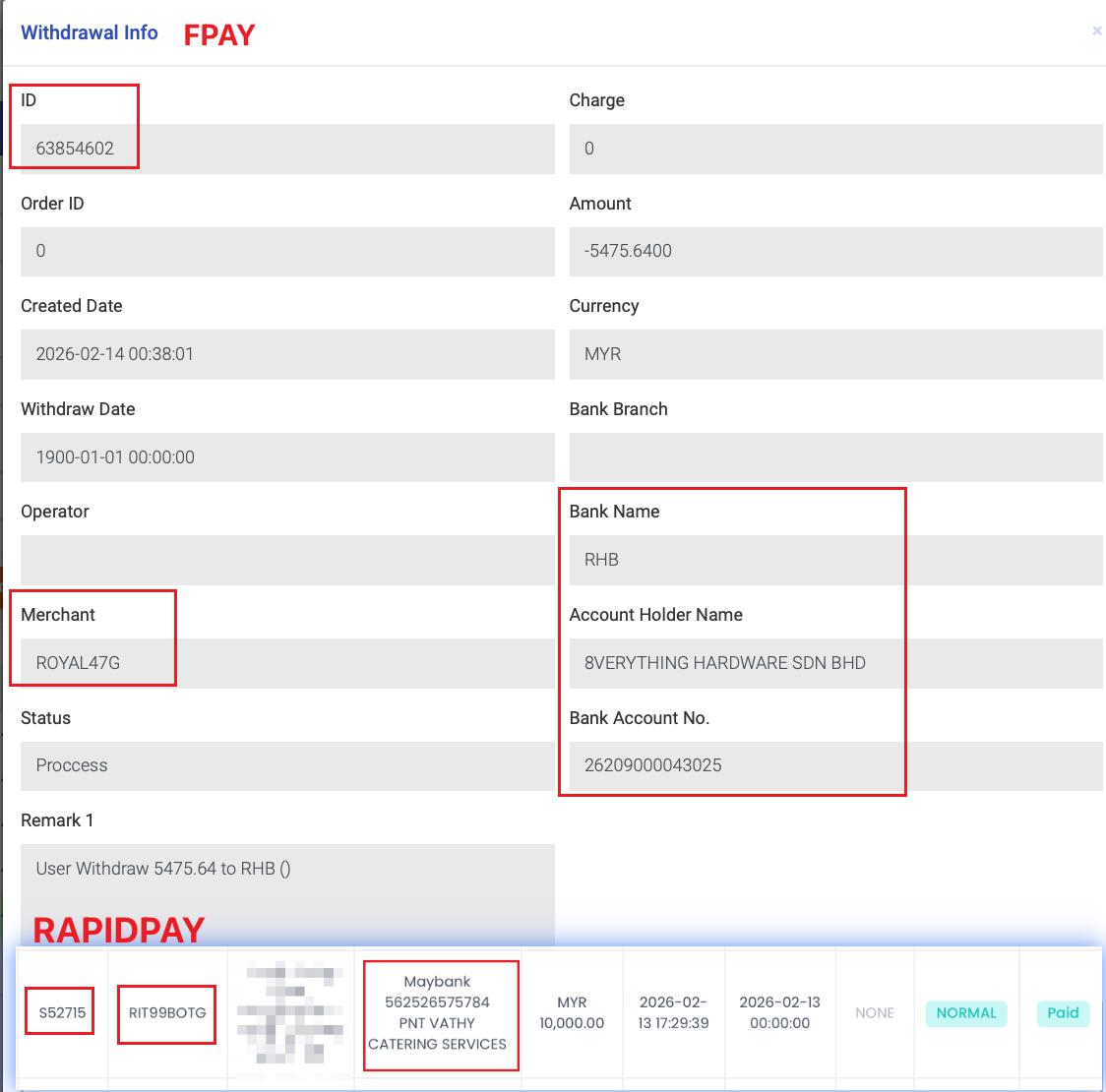
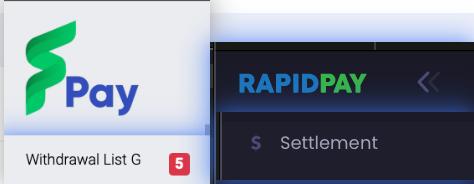
FPAY / Vpay: Verify in Withdrawal List G.

RapidPay / Fast2Pay: Verify in Settlement List

  1. Ensure the request is Submission (sufficient balance, correct details).

Processing flow of open deal

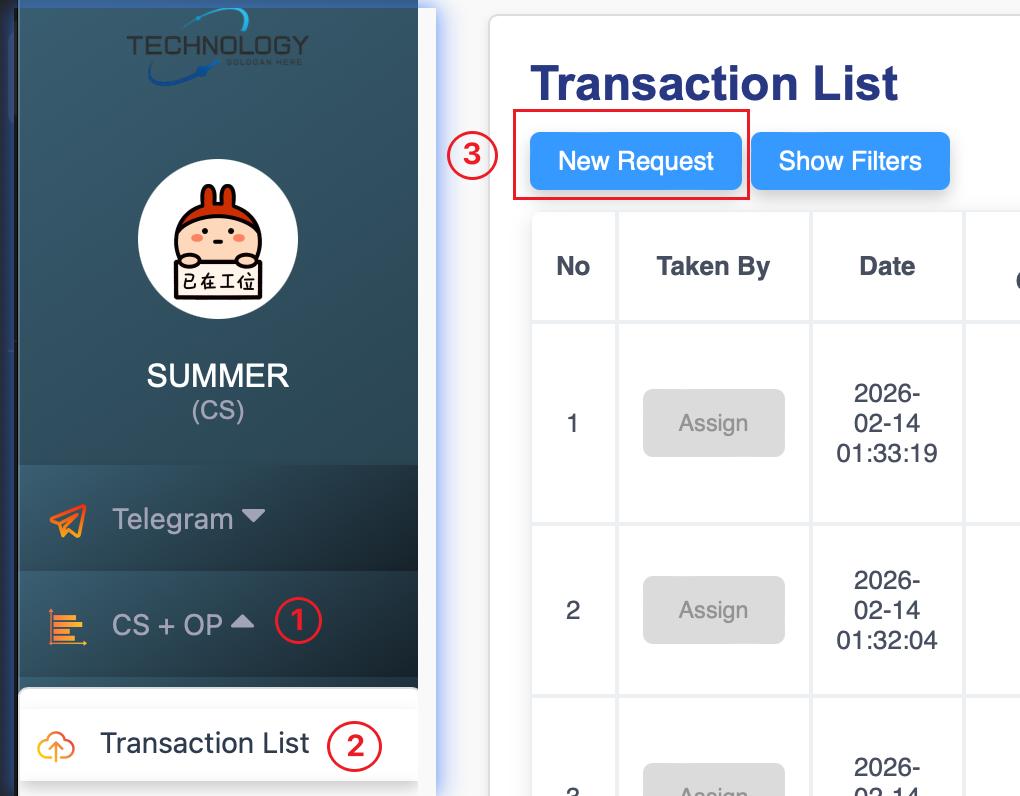
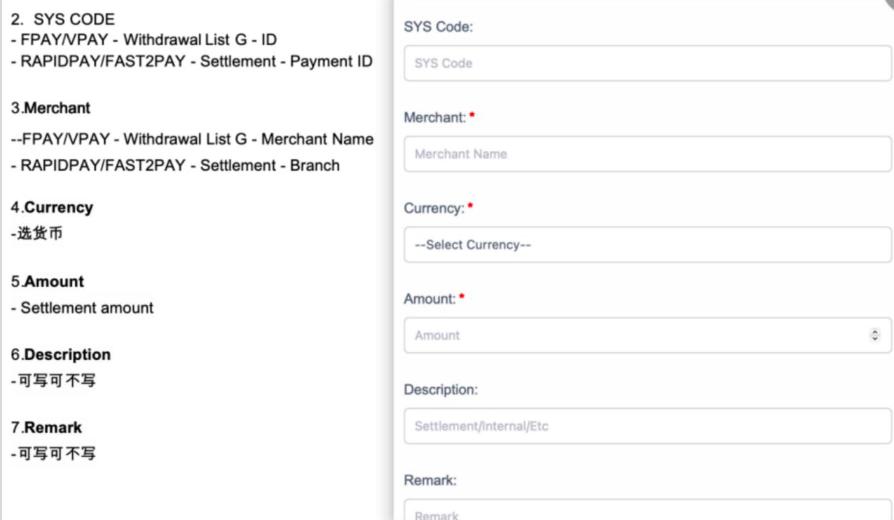
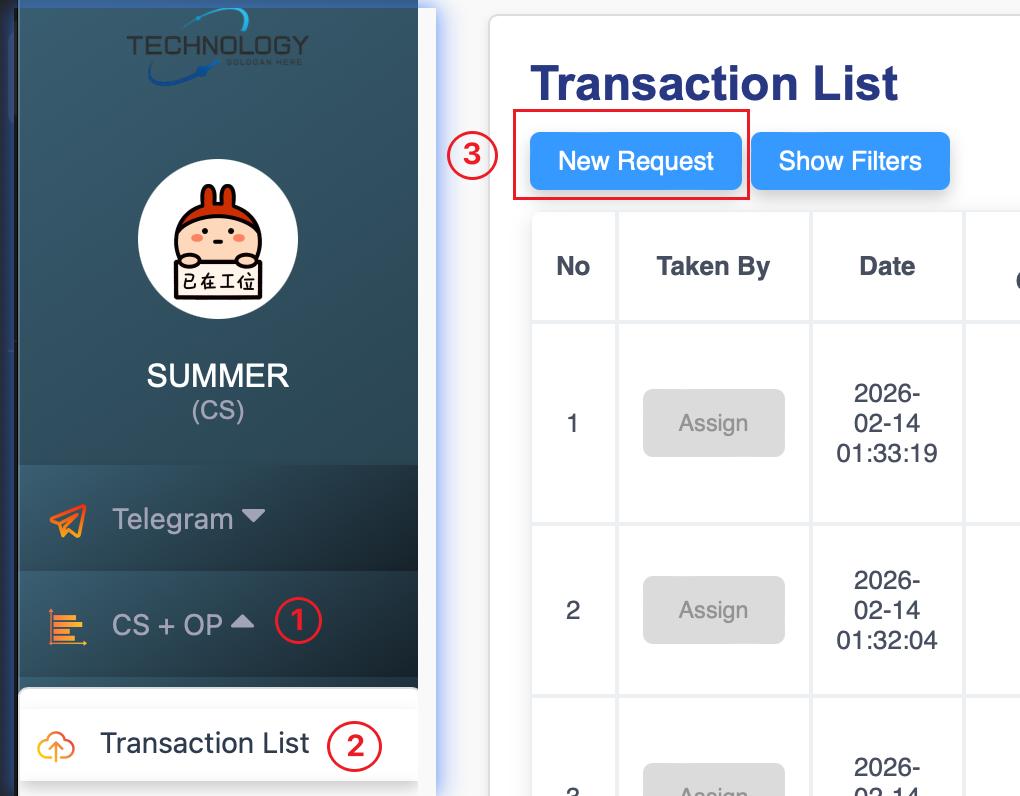
1. Open the deal in Alpha System. Navigate: CS+OP → Transaction List → New Request.

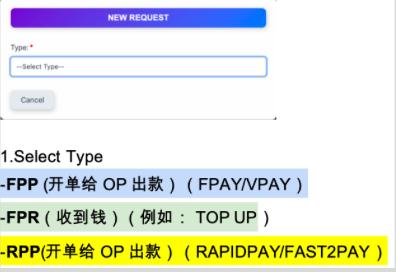
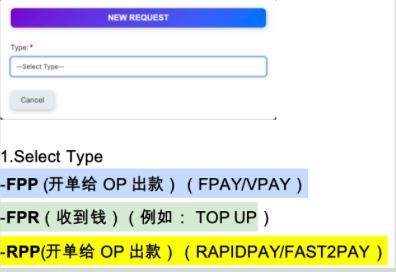
  1. Select the correct transaction type:

▪ FPP: Outgoing Payment (FPay/VPay).

 ▪ FPR: Received Payment.

 ▪ RPP: Outgoing Payment (RapidPay/Fast2Pay).

3. Fill in transaction details (Merchant ID,Merchant,Currency, Amount, Remark, etc.).

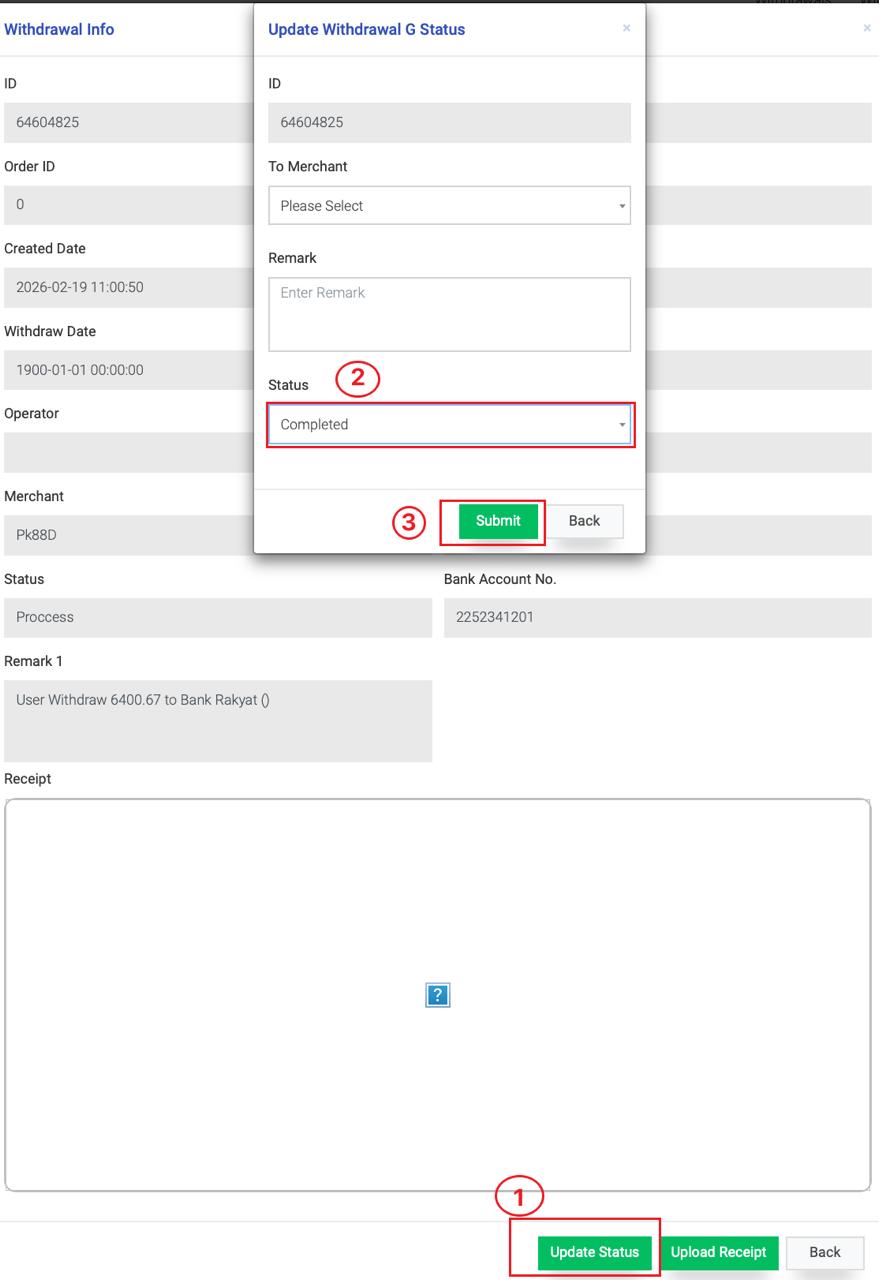
  1. After created the deal, marks the request as completed in the system.

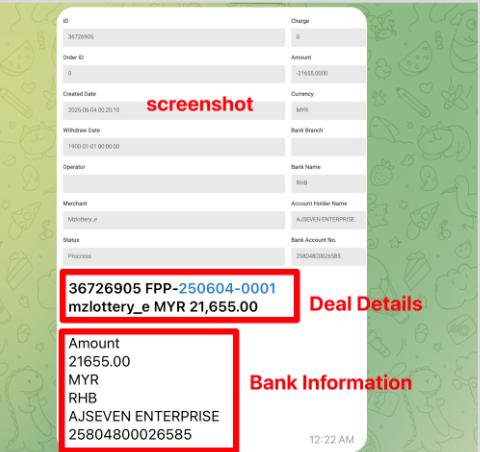
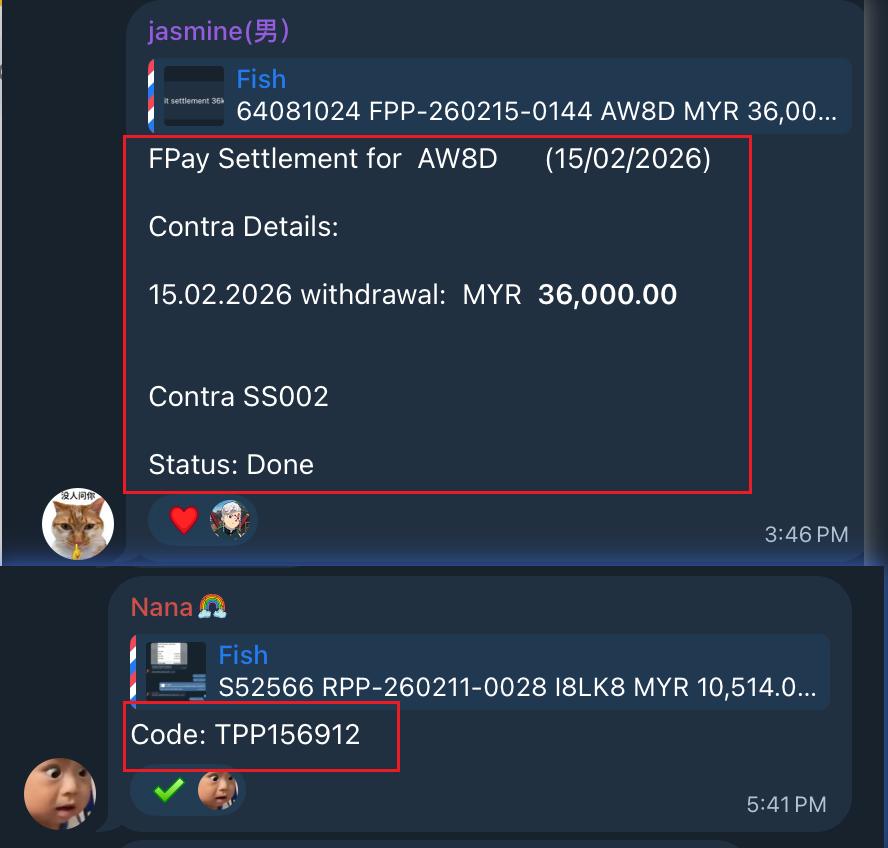
5. Forward Details to Settlement Group. 

Copy deal details.+ Bank Details + Screenshot

Deal details.

  • SYS code
  • Code
  • Account
  • Currency
  • Amount

Bank details.

  • Bank Name
  • Account Name
  • Account Number
  • Currency
  • Settlement Amount

6. Operations Team (OP) processes the payment and generates a transaction slip.

7. The slip is shared back with the merchant.

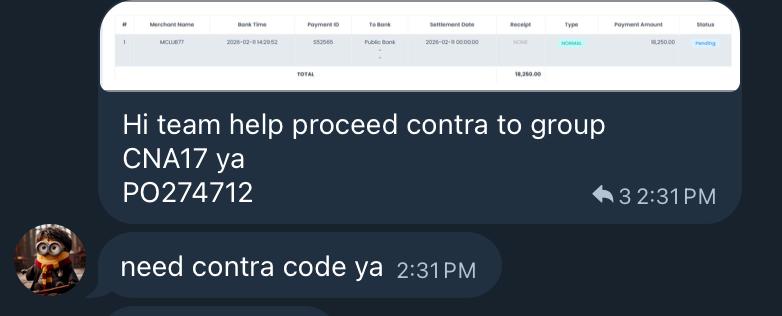
  1. Merchant submits a contra request. The request will announced in the Telegram group.
  1. Backend Verification

◦ FPAY / Vpay: Verify in Withdrawal List G.

◦ RapidPay / Fast2Pay: Verify in Settlement List.


  1. Ensure the request is Submission (sufficient balance, correct details).

Process flow for open deal

1. Open the deal in Alpha System. Navigate: CS+OP → Transaction List → New Request.

  1. Select the correct transaction type:

▪ FPP: Outgoing Payment (FPay/VPay).

 ▪ FPR: Received Payment.

 ▪ RPP: Outgoing Payment (RapidPay/Fast2Pay).


  1. Fill in transaction details (Merchant ID,Merchant,Currency, Amount, Remark, etc.).

  2. After created the deal, marks the request as completed in the system.


  1. Forward Details to Settlement Group. Copy deal details

    – Transaction ID

– Deal No

– Merchant Amount

–  Contra **NAME** + Screenshot

  1. Operations Team (OP) processes the payment and generates the contra details.


  1. The contra details is shared back with the merchant.
 

TAGS

CATEGORIES

Uncategorized

Comments are closed