- Send slip + transaction ID into WP x WD CS Com > WD Check Slip to check on it
- Once the payment received, their CS will reply transaction ID +done.
- CS can refresh and check again at our BO
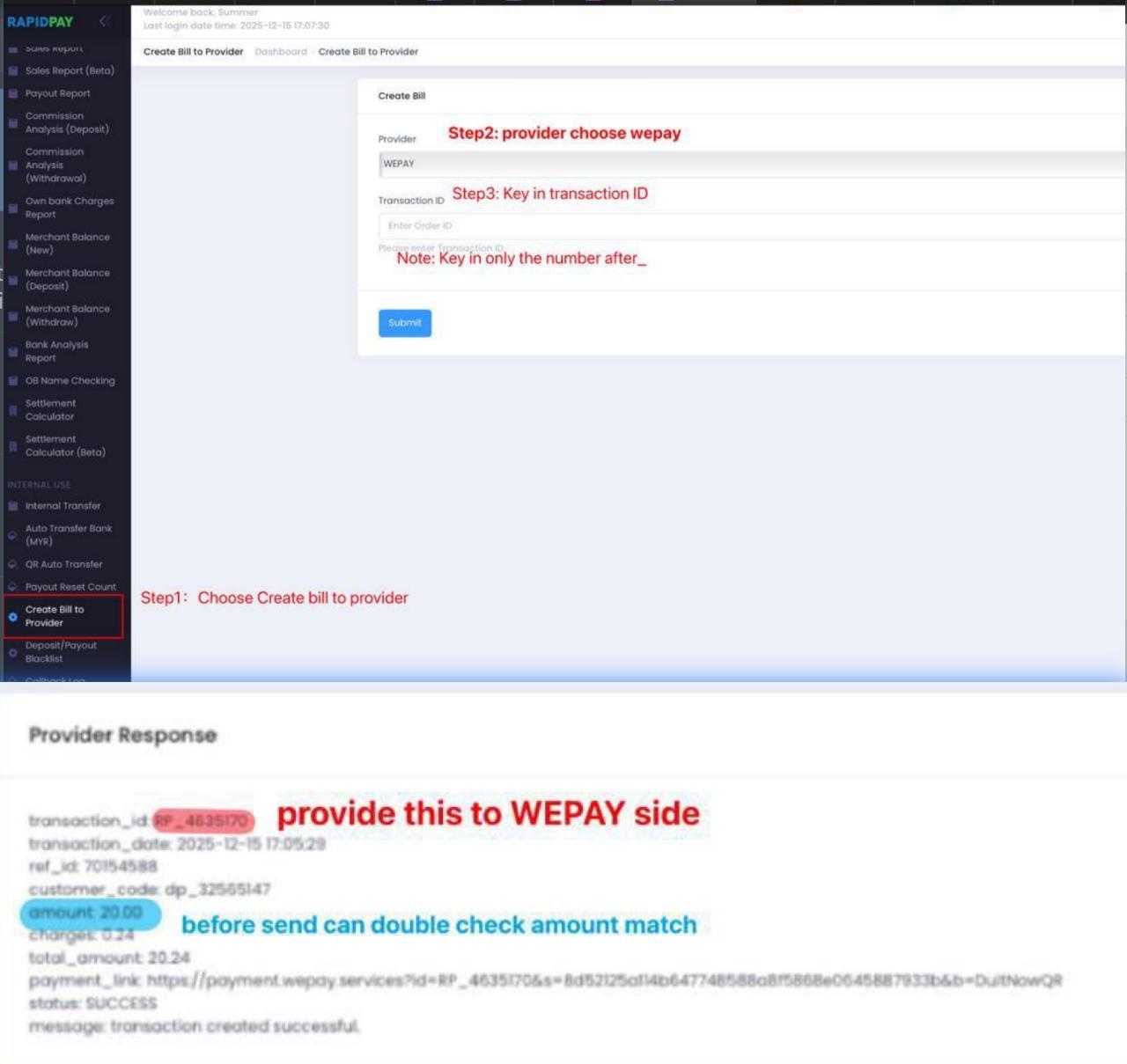
How to get transaction ID
FPAY/VPAY
Obtain Customer Information
Get the relevant customer details (Merchant Order ID or Member Username) from the merchant to locate the transaction.
Search in FPAY / VPAY System
In FPAY/VPAY system → Order List → Paste USERNAME / MERCHANT ORDER ID field. ( either Merchant Order ID or Member Username)
Retrieve Platform Order ID
Copy the PLATFORM Order ID shown in the results.
Search in RapidPay
Paste the PLATFORM Order ID into:
RapidPay → Transaction List → Customer Code field → Copy the Transaction ID
- Copy TRANSACTION ID + CUSTOMER CODE + REMARK to merchant
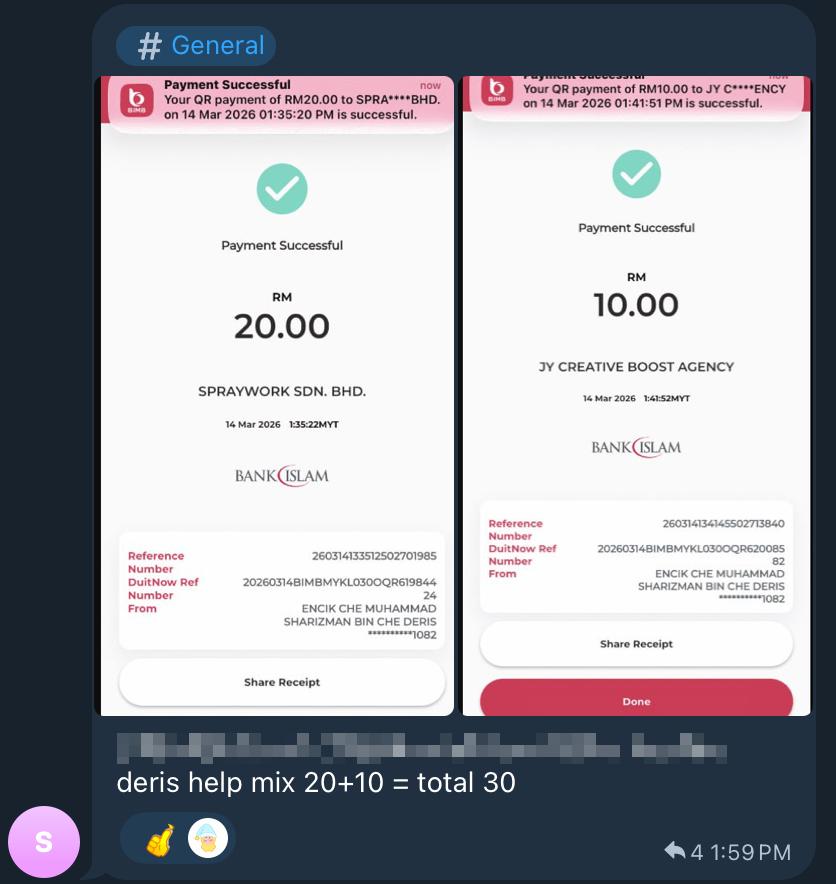
Before providing the INFO to the merchant refer, please refer to the TELEGRAM merchant’s receipt to match the information, you can compare (status, amount,Merchant Name, Remark,) via RAPIDPAY for checking
- Copy Customer Code from Rapidpay – Transaction List.
- Go to Fpay – Order List – Paste it in Platform Order ID
Before providing the merchant order ID to the merchant, please refer to the TELEGRAM merchant’s receipt to match the information, you can compare (status, amount, completion date, user name, merchant ID) via Fpay for checking
If all info MATCH, provide Merchant order ID to merchant mention done.

Comments are closed