Process Flow
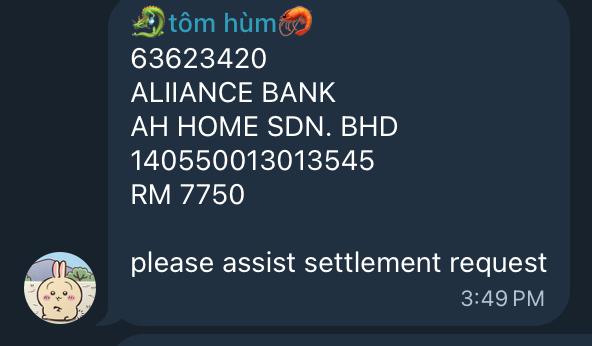
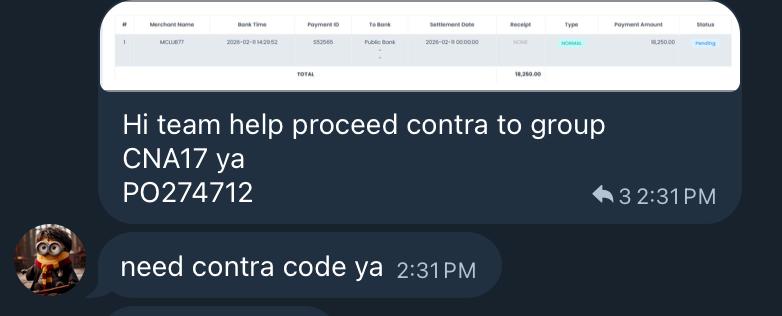
1. Merchant submits a withdrawal/settlement request. The request will announced in the Telegram group.
- Backend Verification
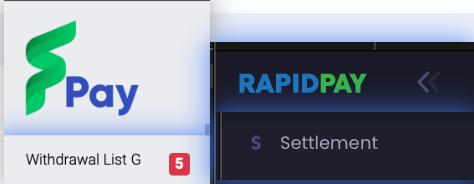
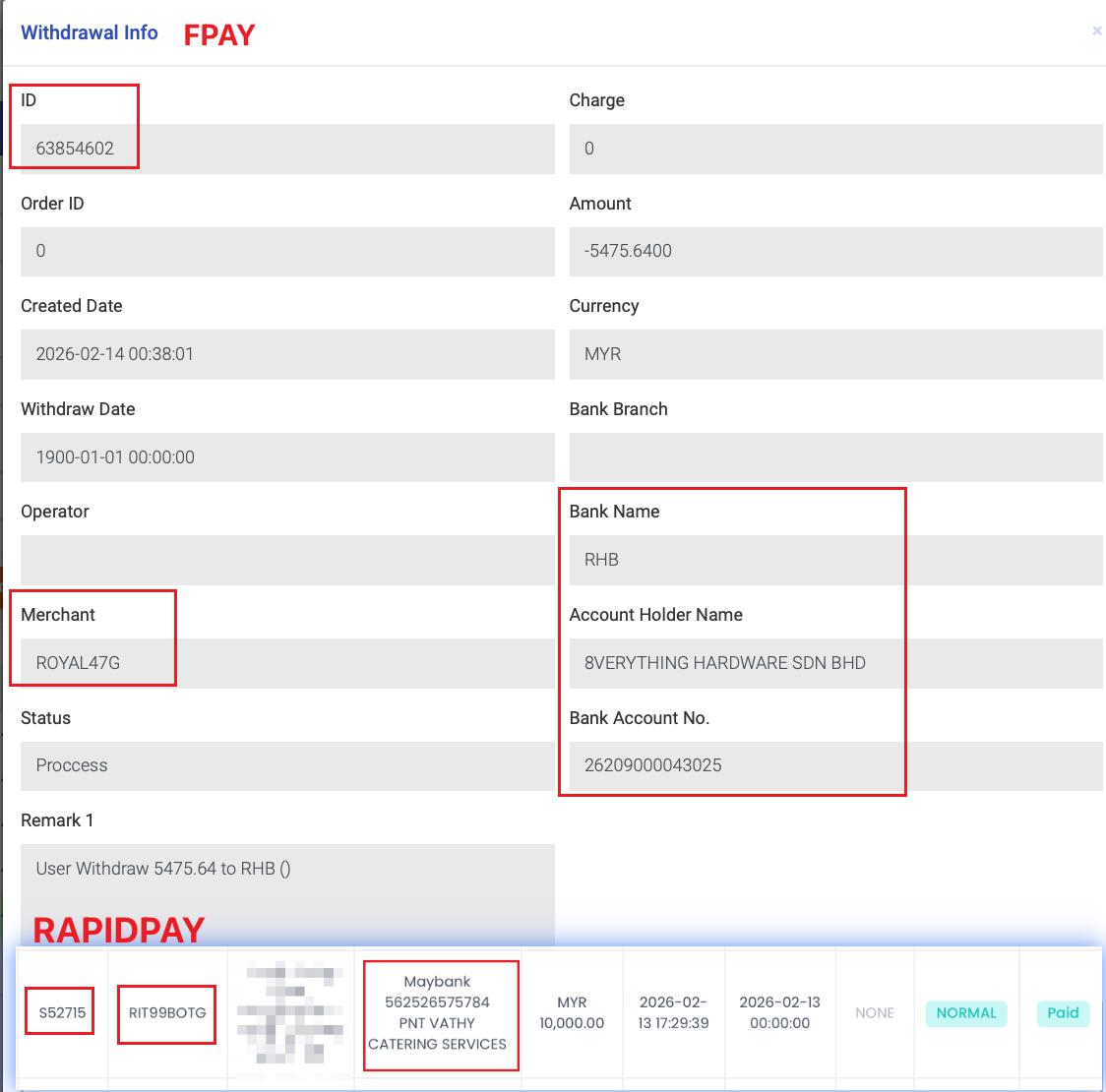
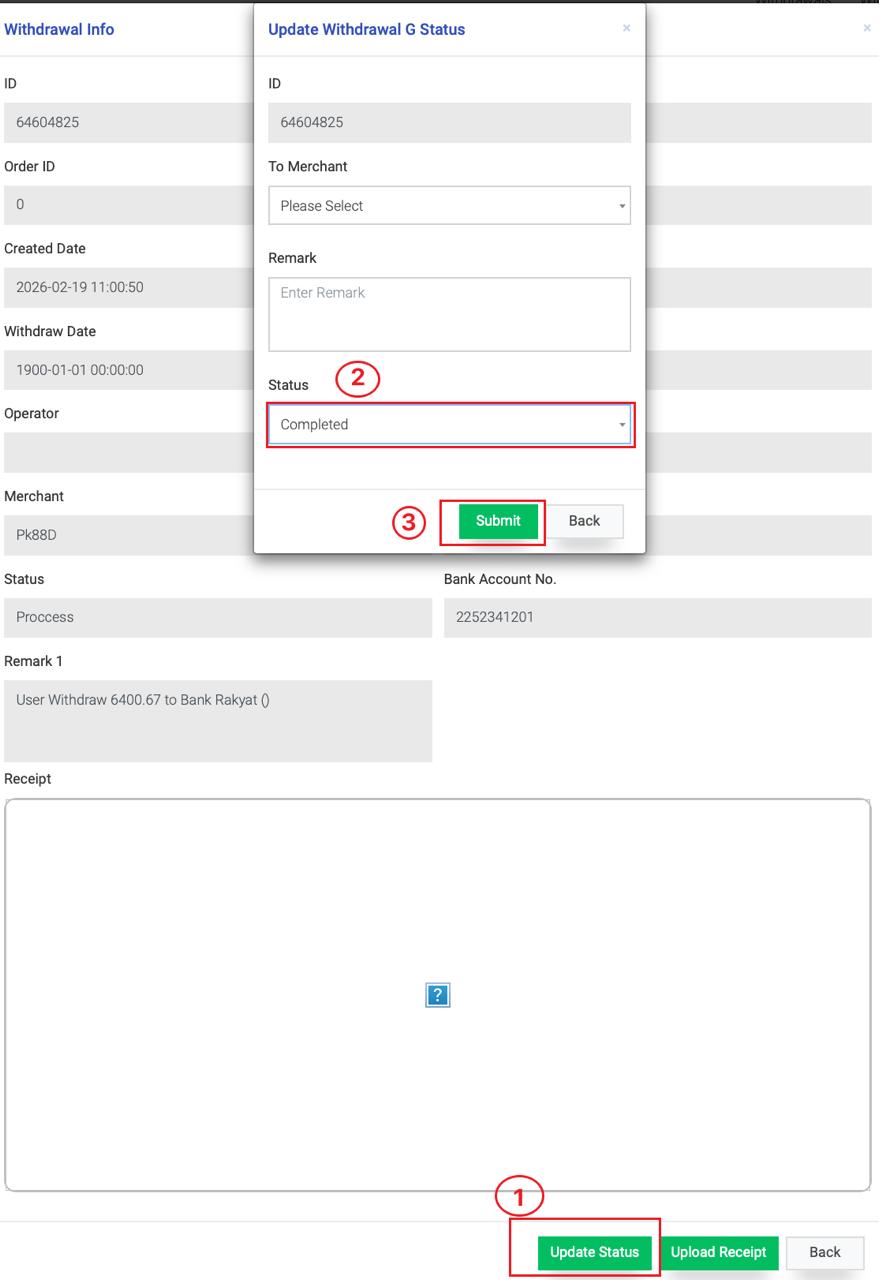
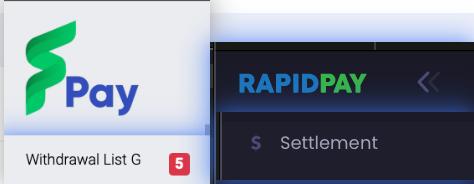
◦ FPAY / Vpay: Verify in Withdrawal List G.
◦ RapidPay / Fast2Pay: Verify in Settlement List
- Ensure the request is Submission (sufficient balance, correct details).
Processing flow of open deal
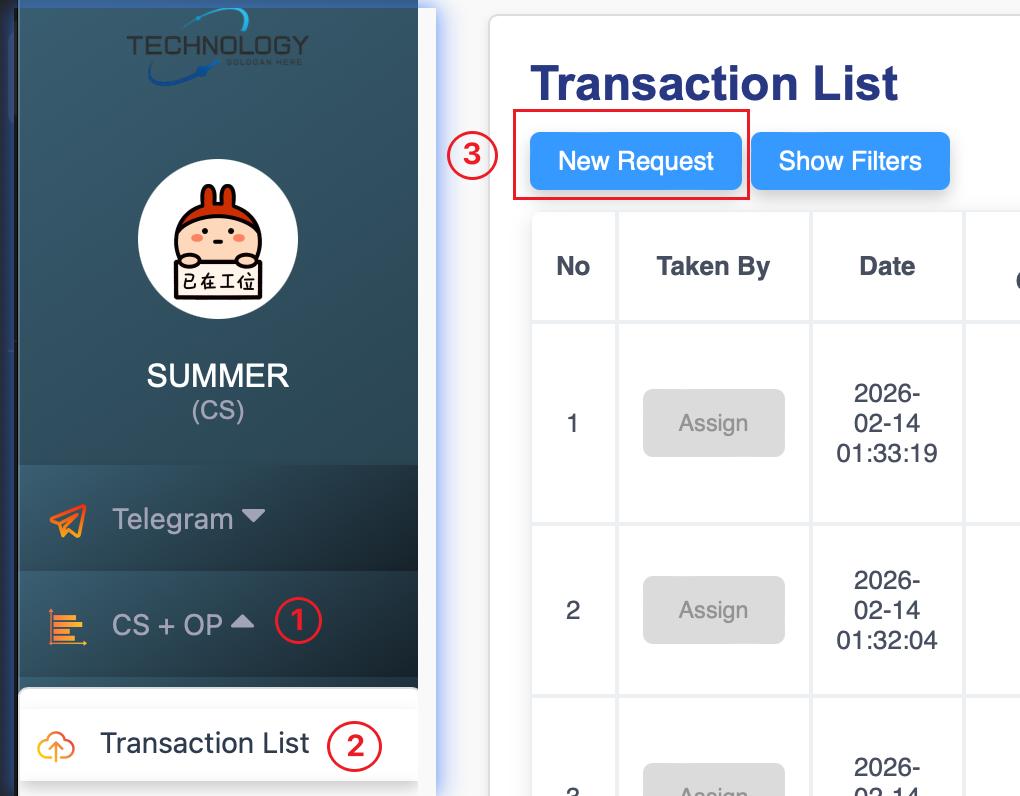
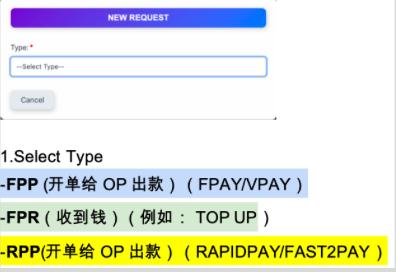
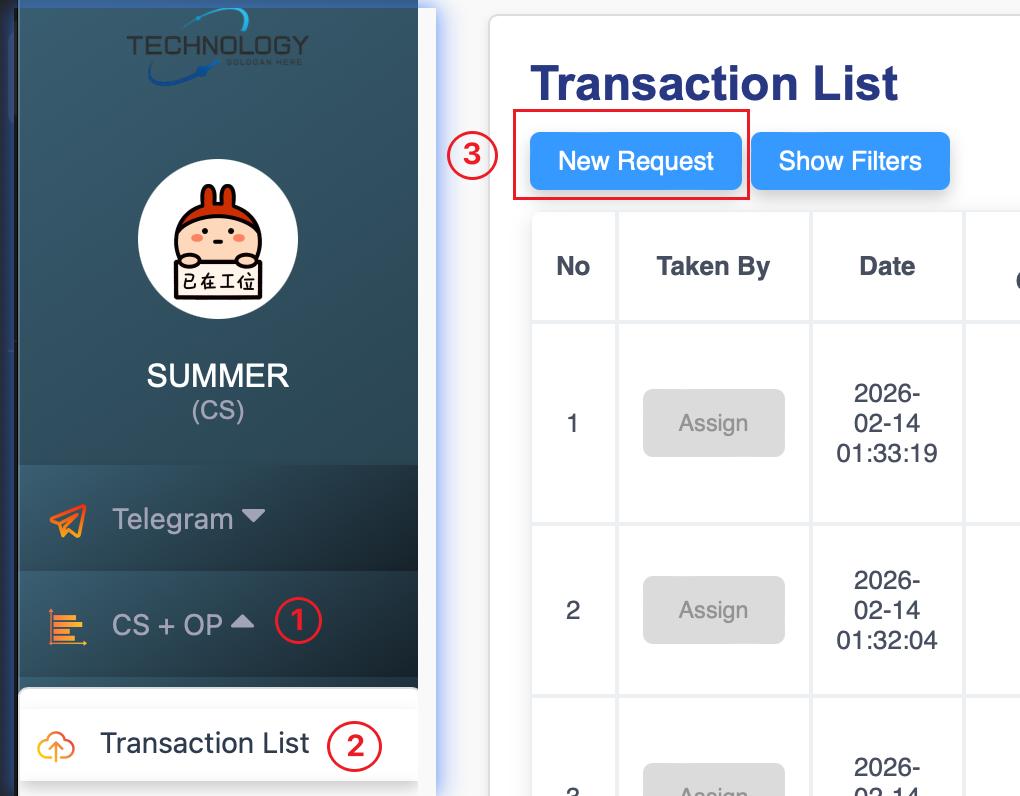
1. Open the deal in Alpha System. Navigate: CS+OP → Transaction List → New Request.
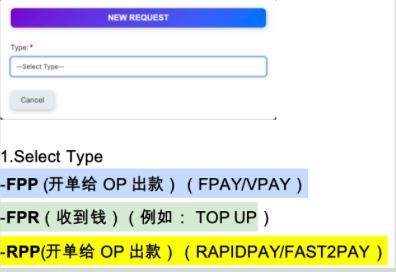
- Select the correct transaction type:
▪ FPP: Outgoing Payment (FPay/VPay).
▪ FPR: Received Payment.
▪ RPP: Outgoing Payment (RapidPay/Fast2Pay).
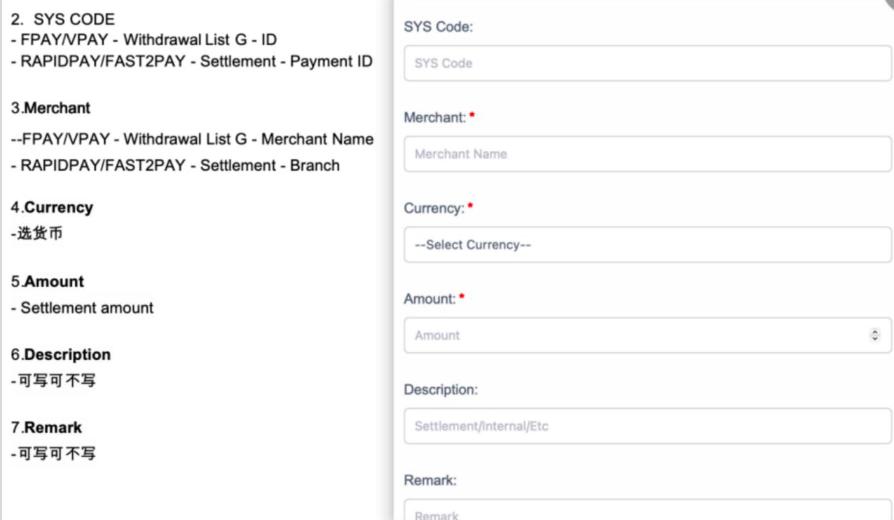
3. Fill in transaction details (Merchant ID,Merchant,Currency, Amount, Remark, etc.).
- After created the deal, marks the request as completed in the system.
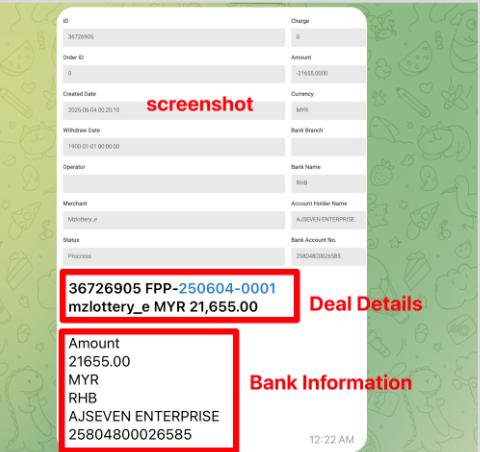
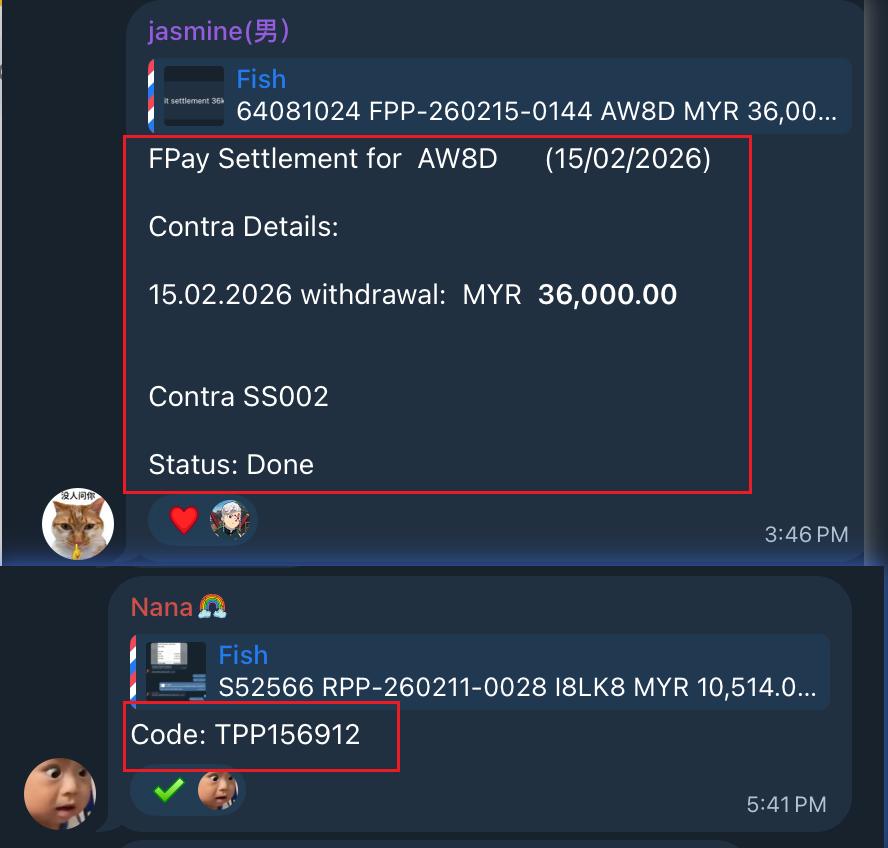
5. Forward Details to Settlement Group.
Copy deal details.+ Bank Details + Screenshot
Deal details.
- SYS code
- Code
- Account
- Currency
- Amount
Bank details.
- Bank Name
- Account Name
- Account Number
- Currency
- Settlement Amount
6. Operations Team (OP) processes the payment and generates a transaction slip.
7. The slip is shared back with the merchant.




Comments are closed